Hoome or Bonjourr: which new tab page should you choose?
Bonjourr puts a minimal page at the centre: the time, a greeting and a beautiful photo. Hoome, our own extension, puts your sites at the centre, tidied into folders and a Dock.
Checked on October 6, 2026
Hoome Ours
Choose Hoome if your new tab should first tidy your sites into folders, with a Dock and backups that happen on their own; beyond a hundred shortcuts and five folders, and for most widgets, you will need Premium.
FreeA hundred shortcuts, five folders
Premium€1.99 per month
vs
B
The time
A greeting
A photo that changes with the time of day
BBonjourr
Choose Bonjourr if you want a beautiful, understated page, entirely free and open source, in your language, with real photos and the freedom of CSS.
Bonjourr is a French new tab page, free and open source, which describes itself as an alternative to Momentum: a beautiful photo that changes with the time of day, the time, a greeting and quick links. Hoome, our own extension, starts with tidying: your sites in folders, as on a phone, and whatever you want around them. This page compares them point by point, with every fact about Bonjourr taken from its public pages, cited at the bottom of the page and checked on the date shown above.
Hoome and Bonjourr compared point by point
Hoome
BBonjourr
The basics
What it puts at the centre
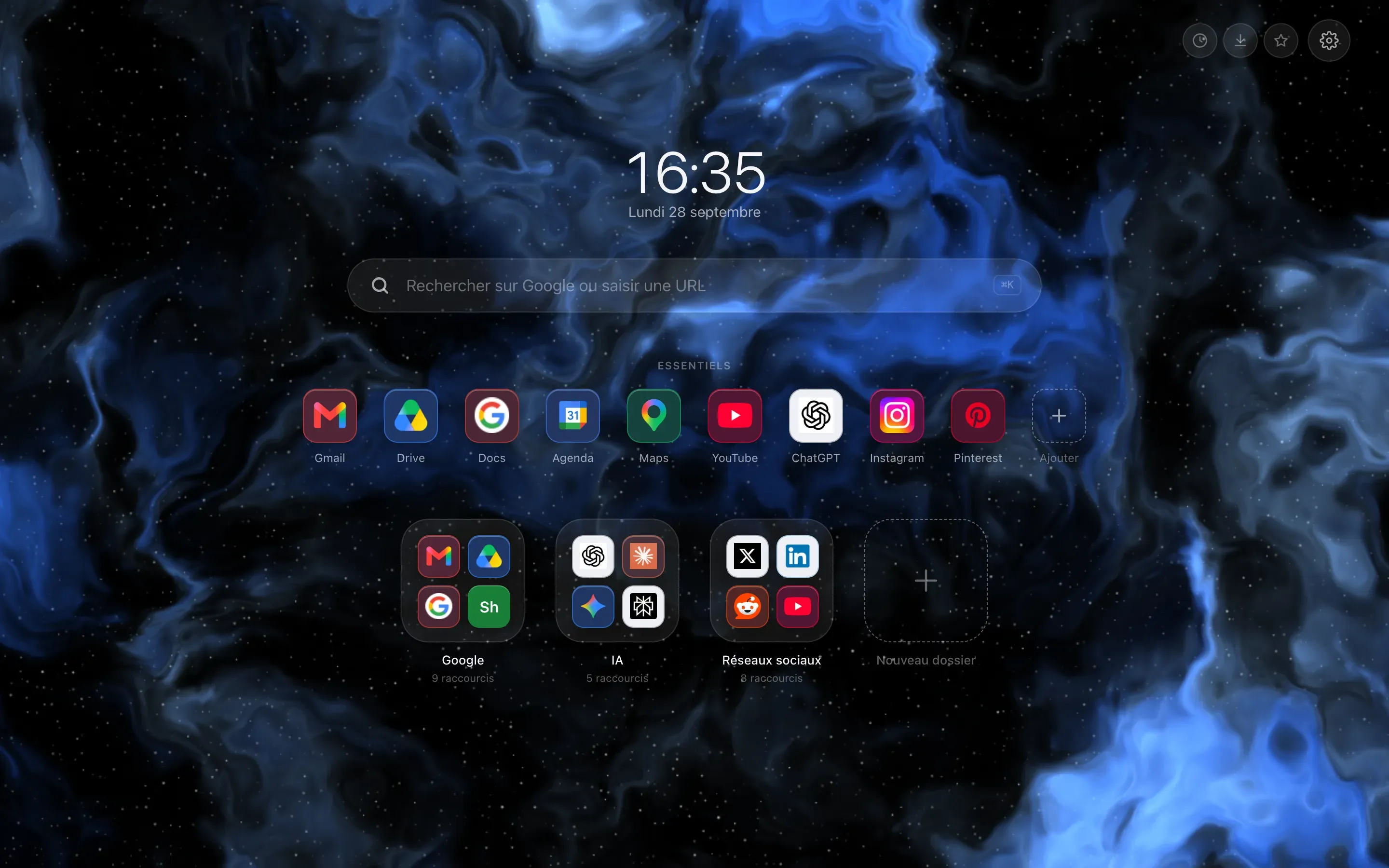
Your sites, tidied into folders and a Dock
A minimal page: the time, a greeting and a background
Price and code
Price
Free; Premium at €1.99 per month
€11.99 per year and €24.99 for life at launch prices, then €14.99 and €36; fourteen free days on the yearly plan
Free
Funded by donations
Open source
No.
Closed
Yes.
Open
Under the GPL 3.0 licence
Features
Links
Shortcuts in folders, a Dock and a search through your shortcuts
A hundred shortcuts and five folders on the free version
Quick links, folders made by dropping one link onto another, optional link groups
Import of your bookmarks and most visited sites, which can stay synced with the browser's
Backgrounds
Gradients and two animated backgrounds free each week
With Premium, more than a hundred and thirty backgrounds drawn by code, and your own picture
Unsplash photos that change with the time of day
Pixabay videos, your own files or a colour
Widgets
Weather, tasks and notes
Ten more with Premium (eight on Firefox), including Today's focus, the calendar, habits and tides
Time and world clocks, weather, notes with checkboxes, quotes, a Pomodoro timer
Customisation
Theme, icons, clock
Seven layouts, two of them free; several desks with Premium
Hundreds of fonts, custom CSS
Theme profiles, three column-based layouts
Account and data
Account
None for the free version
Premium requires signing in with Google
None
Sync
Through your browser's account
Between computers using the same browser, to be turned on in the settings
Through your browser's account, from installation
From one browser to another, through GitHub Gist or an online settings file
Automatic backups
Yes.
Three backups on your computer
Automatic or manual; export and import
No.
Export and import
Settings copied to your browser's account by default
Services contacted
Site icons, from Google and DuckDuckGo
Open-Meteo for the weather, the tides and searching for a town, switched off by default; hoome.dev for the Premium account, if you sign in
From the first launch: its own services for the list of photos, the weather and quotes, and Unsplash's servers for the image itself
Then, if you use them: its services for link icons and search suggestions
Languages and browsers
Interface languages
Five
More than forty
Browsers
Chrome, Edge, Brave and Firefox
No Safari
Chrome, Edge, Brave and Firefox
Its online version also serves as a home page in Safari, whose extension was discontinued in May 2026
Every fact about Bonjourr comes from its public pages, listed at the bottom of this page and checked on October 6, 2026.
BWhat Bonjourr does better
Everything is free, and the code is open
Bonjourr has neither a paid version nor an account: its two developers work on it in their spare time, and donations are its only funding. Its code is public, under the GPL 3.0 licence, and its services can even be self-hosted.
Speaking your language, whatever it is
Bonjourr is translated into more than forty languages by its community. Hoome has five.
Real photos
By default, Bonjourr shows hand-picked photos, sorted by time of day, and can switch to videos. Its authors keep AI-generated images out of their collections.
Fine-tuning everything yourself
Hundreds of fonts, a custom CSS field and theme profiles to import: Bonjourr goes much further than Hoome in the fine detail of the page's look.
Following your bookmarks
Bonjourr can keep its links synced with your browser's bookmarks: whatever you change there shows up on the page. Hoome imports your bookmarks once, then keeps them separately.
Moving from one browser to another
Through GitHub Gist, or through a settings file hosted online, Bonjourr carries its settings from Chrome to Firefox. An online version also lets you try it without installing anything, and use it in Safari.
What Hoome does differently
Tidying first
Bonjourr also sorts its links into folders, but Hoome is built around them: your Essentials, the row of sites you use every day, placed as a Dock at the bottom of the page, a search that filters your shortcuts as you type, and, with Premium, several desks, one for work, the other for home.
More widgets, with Premium
On the free version, Hoome has the weather, tasks and notes; Bonjourr offers, without paying, the time and world clocks, the weather, notes, quotes and a Pomodoro timer. Premium adds ten widgets, eight on Firefox, including Today's focus, the countdown, the calendar, habits, sun and moon, and tides, which Bonjourr does not have.
Backgrounds computed on your computer
Hoome's backgrounds are drawn by code, with no photo or video to download: the page opens without waiting for the network.
Fewer online features out of the box
On installation, Hoome only contacts the icon services of Google and DuckDuckGo, directly from your browser, and the weather stays off until you turn it on. Bonjourr queries its services for photos, the weather and quotes from the first launch, but these requests go through its own API, which, according to its privacy policy, keeps nothing and acts as your intermediary with third-party services; only the image itself comes directly from Unsplash. In both cases, no account and no usage analytics.
Automatic backups
Hoome takes a backup on your computer every day and keeps three in all, counting the ones you make by hand. It restores the most recent one by itself if the page's data disappears while the backups are still there. Uninstalling erases everything, backups included: only an export, or another synced computer, will then bring your page back. Bonjourr has no automatic backup, but by default copies its settings to your browser's account, if you are signed in to it; with Hoome, you turn this sync on in the settings.
Hoome, in pictures
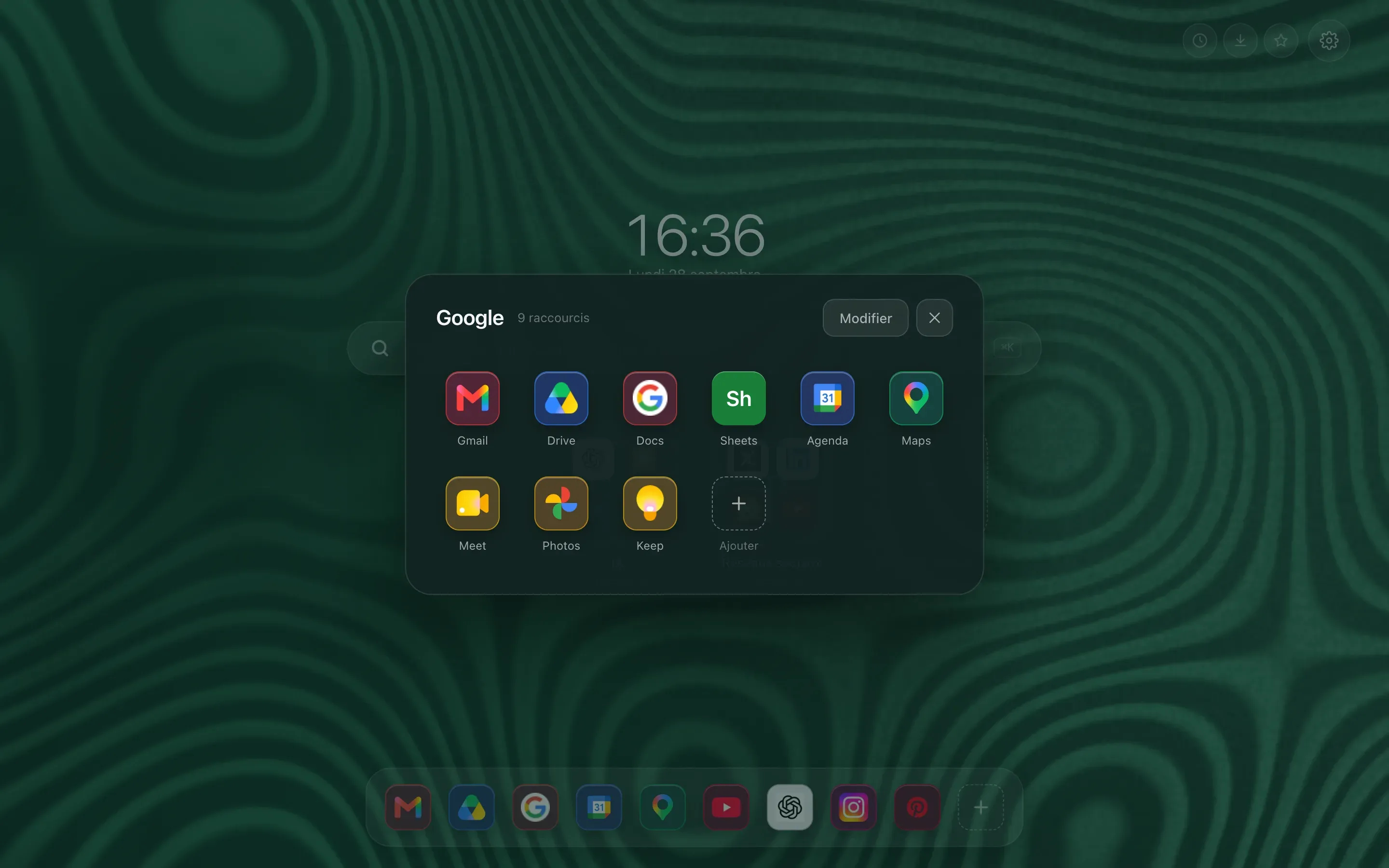
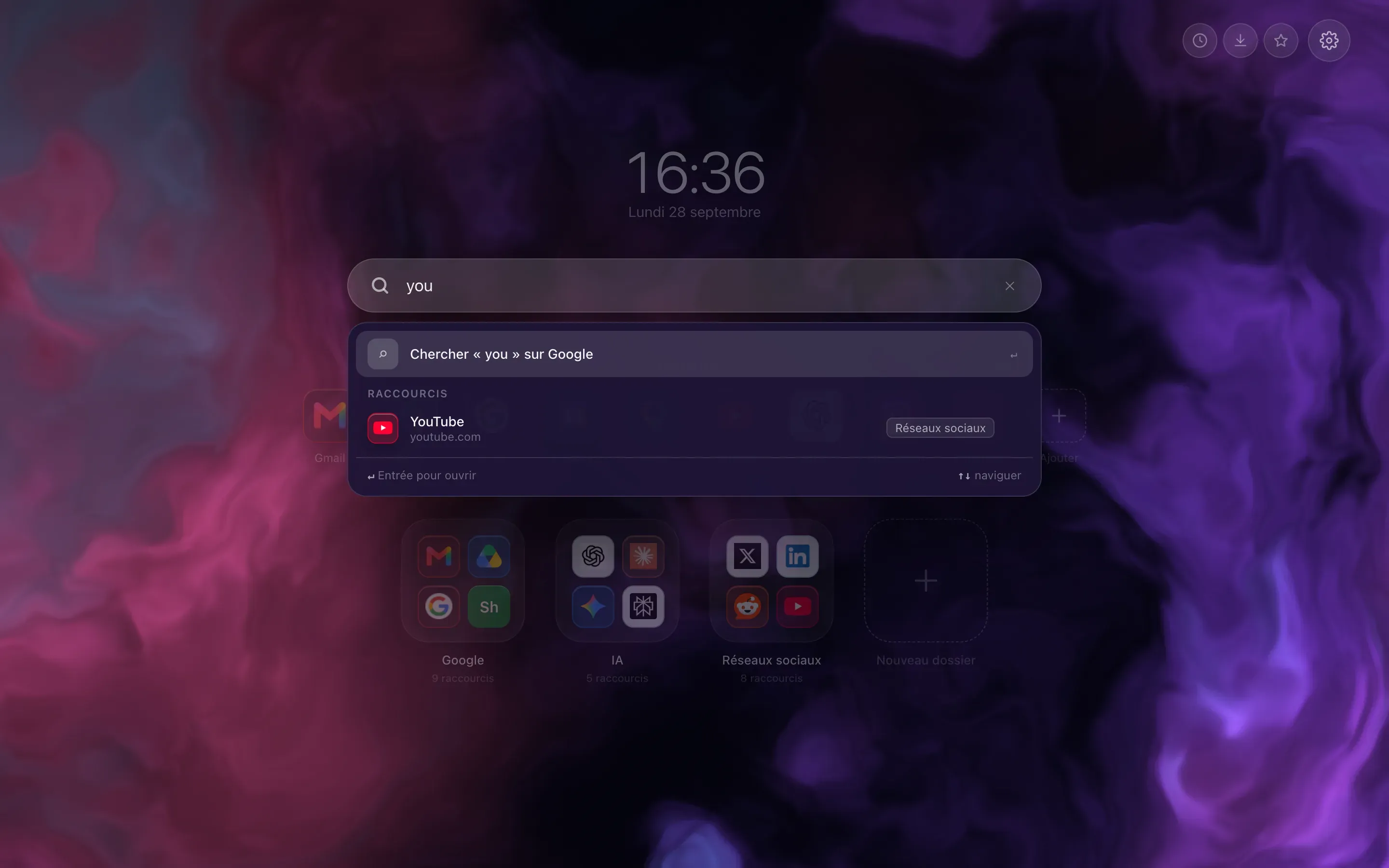
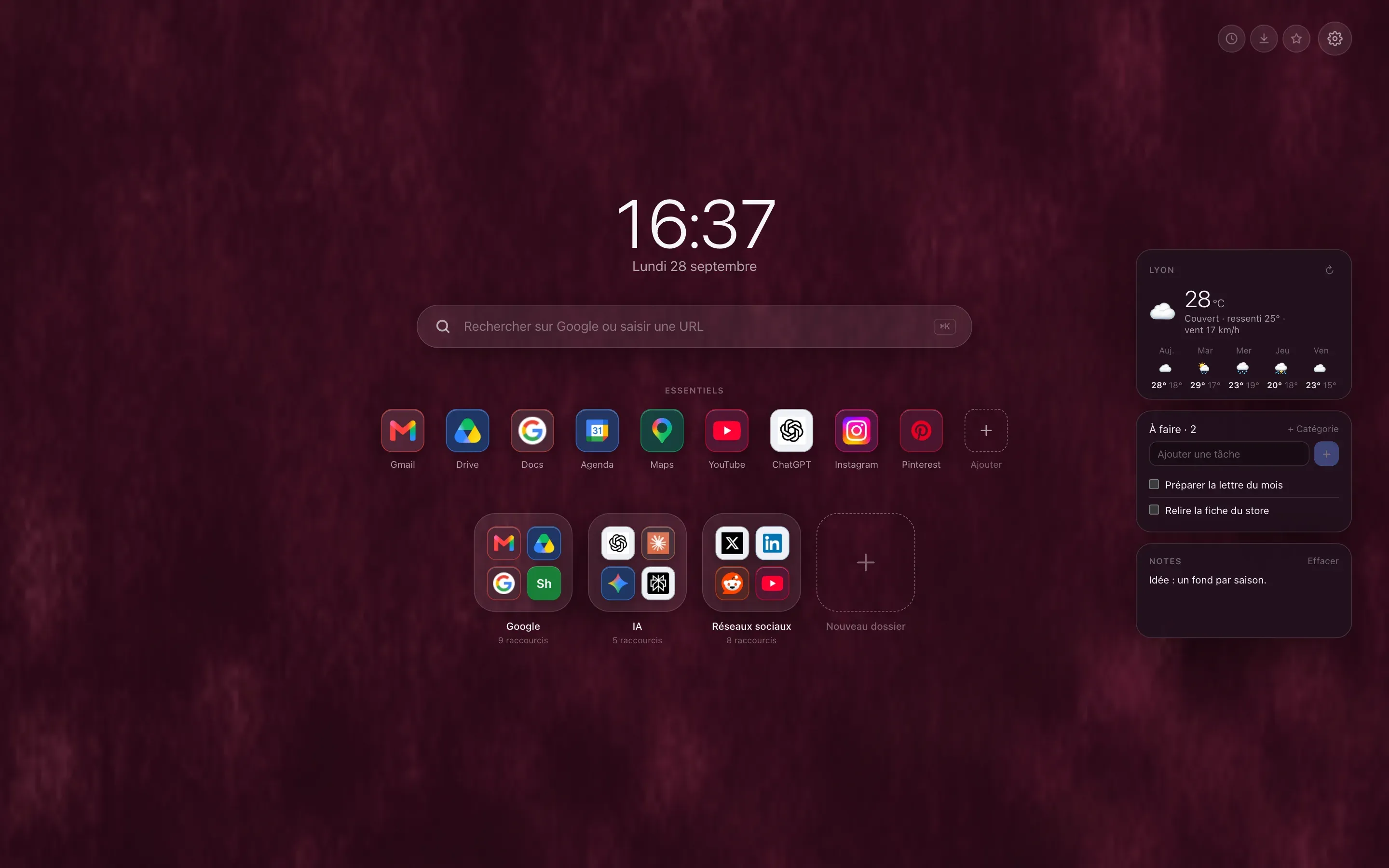
Your sites sorted into folders, a search that filters your shortcuts as you type, and the weather, tasks and notes alongside. See every feature
An open folder
Searching your shortcuts
Weather, tasks and notes
Switching from Bonjourr to Hoome
Hoome does not read Bonjourr's export file. The simplest way to switch:
Install Hoome
From the Chrome Web Store, Firefox Add-ons or Edge Add-ons.
Add your sites
Import your browser's bookmarks, up to the free version's limit of a hundred shortcuts and five folders, or pick them from the catalogue of popular sites.
Remove Bonjourr
Turn off or remove Bonjourr on the extensions page, since Chrome only gives the new tab page to one extension.
Sources15 public pages, checked on October 6, 2026
Yes, entirely. Bonjourr has no paid version: its two developers work on it in their spare time, and donations are its only funding. Hoome has a free version with no time limit, and a Premium version, by subscription or as a one-off payment, which lifts its limits.
Is Hoome open source, like Bonjourr?
No. Bonjourr's code is public, under the GPL 3.0 licence; Hoome's is not. What Hoome does with your data is described in its privacy policy: your shortcuts, folders and notes only go through our servers if you are a Premium subscriber signed in to your account: syncing between your computers then keeps a copy, which you can turn off.
Does Bonjourr sort links into folders?
Yes. Dropping one link onto another creates a folder, and link groups can be turned on in the settings. Hoome is built around this kind of tidying: folders as on a phone, a Dock for the sites you use every day, and a search that filters your shortcuts as you type.
Can you sync between Chrome and Firefox?
With Bonjourr, yes, in two ways, both manual: through GitHub Gist, with a GitHub account and a token to paste into each browser, then by sending and retrieving your settings; or through a settings file hosted at a web address, which each browser fetches. With Hoome, no: sync goes through your browser's account, and only links computers using the same browser with the same account. To move from one to the other, you can export a file and then import it.
Does Bonjourr still work on Safari?
Not as an extension: Bonjourr for Safari was discontinued in May 2026. Its online version can still serve as a home page in Safari, though. Hoome does not exist for Safari: it works in Chrome, Edge, Brave and Firefox.
Can you keep Bonjourr and Hoome at the same time?
You can install both, but Chrome only gives the new tab page to one extension: the last one installed. Turn off the one you are not using on Chrome's extensions page.
Your next tab can be a tidy one
Five seconds to install, no sign up, and your sites finally where they belong.
On a phone, tap “Add to Desktop” on the Chrome Web Store: Hoome will install in Chrome on your computer, if it is signed in to the same Google account.