Add to Chrome

Free, no account, no ads

English Français Español Deutsch Português

Hoome or Momentum: which new tab page should you choose?

Momentum puts your focus for the day at the centre, with a photo and a quote. Hoome, our own extension, puts your sites at the centre, tidied into folders as on a phone.

Checked on October 6, 2026

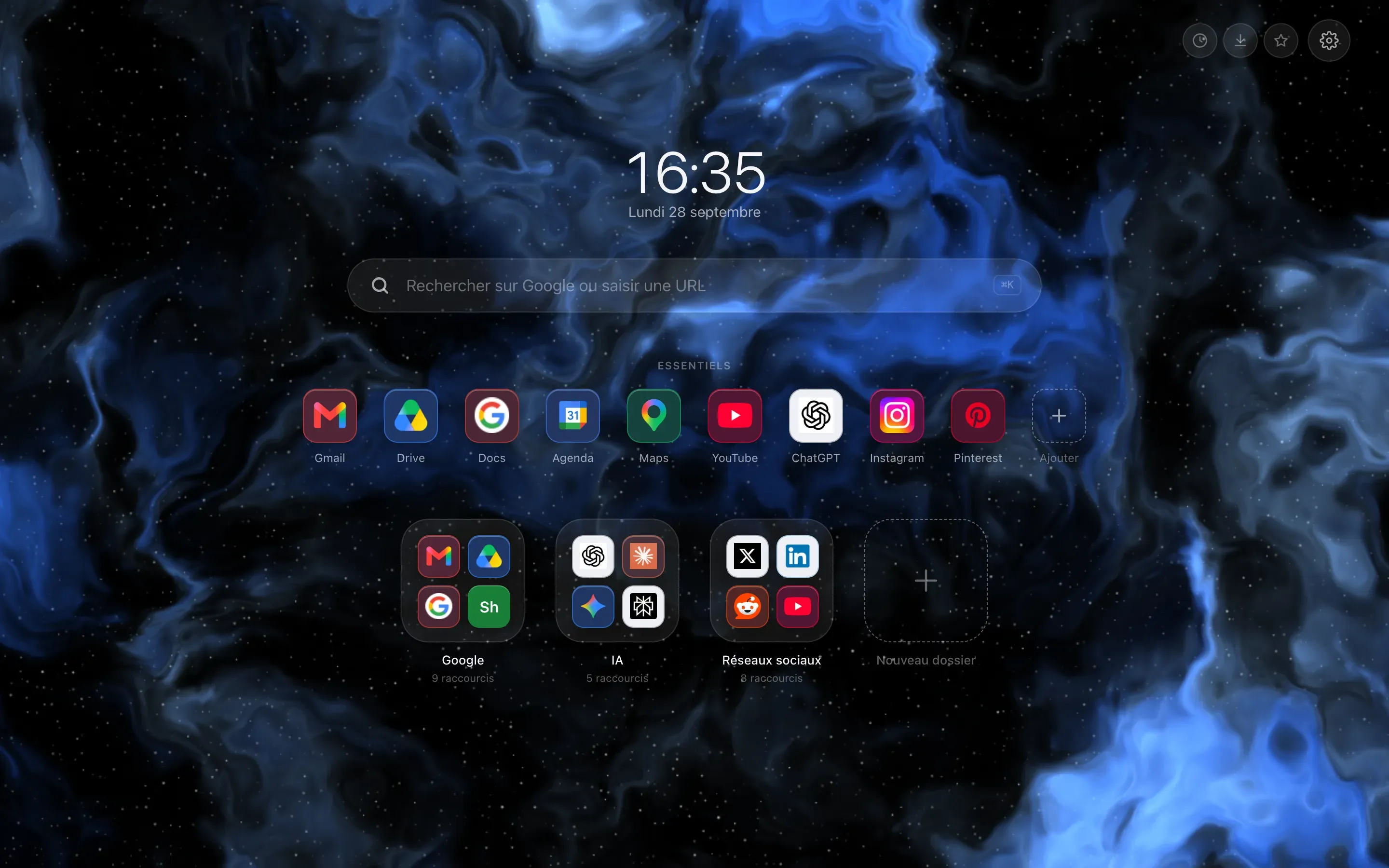
The Chrome new tab page replaced by Hoome: clock and date in the middle, a search bar, a row of pinned shortcuts, then six folder tiles on a blue gradient background.

Hoome Ours

Choose Hoome if your new tab should take you to your sites first, if you would rather have an interface in a language other than English, and if you want nothing to go through the developer's servers.

  • FreeA hundred shortcuts, five folders
  • Premium€1.99 per month
  • A landscape photo every day
  • A quote
  • “What is your main focus for today?”

Momentum

Choose Momentum if you want a focus dashboard, with a site blocker, ambient sounds and your task managers, or if you use Safari or an iPhone.

  • FreeNo time limit
  • Plus$4.95 a month
Add to Chrome Read the details

Free, no account, no ads

At a glance, point by point

  • Yes
  • Partly
  • No
  • No icon: simply a difference

Momentum is one of the best-known new tab extensions: a landscape photo every day, a quote, the question “What is your main focus for today?”, and tools to help you focus. Hoome, our own extension, starts from a different idea: getting to your sites in one click, tidied into folders as on a phone. This page compares them point by point, with every fact about Momentum taken from its public pages, cited at the bottom of the page and checked on the date shown above.

Hoome and Momentum compared point by point
Hoome Momentum
The basics
What it puts at the centre

Your sites, tidied into folders

Your focus for the day, a photo and a quote

Pricing
Free version
Yes.

A hundred shortcuts, five folders

Gradients and two free animated backgrounds each week, weather, tasks, notes, sync

Yes.

No time limit

Photo, quote and mantra of the day, focus for the day, to-do list, links, weather, calendar, Focus mode with a daily limit

Paid version

Premium: €1.99 per month

€11.99 per year and €24.99 for life at launch prices, then €14.99 and €36

Plus: $4.95 a month

$39.95 a year, in US dollars; a lifetime purchase available on request from support

Trial

Fourteen days

On the yearly plan, card required

Seven days

Card required

Features
Shortcut folders
Yes.

Folders, a Dock and search through your shortcuts

No.

Pinned links, with no folders

With Plus, groups that open in one click

Focus
Partly.

A timer and Today's focus, in Premium

Nothing that blocks a site, and no ambient sounds

Yes.

Focus mode, Pomodoro, site blocker, ambient sounds

Focus mode with a daily limit on the free version; Plus lifts the limit

Connected tools
No.

None

Yes.

Google or Outlook calendar, for free

With Plus, task and development services, including Todoist, Asana, Trello and GitHub

Artificial intelligence
No.

None

Yes.

Ask AI and AI-assisted notes

In Plus, through Microsoft Azure and OpenAI

Account and data
Account

None for the free version

Optional

But needed to sync

Sync
Partly.

Free, between computers using the same browser

Through your browser's account

Yes.

Across browsers and devices

With a free Momentum account, iPhone and iPad included

Your data

In your browser

And in your browser's account if you sync, or on hoome.dev with the Premium sync

Without an account, in the browser

With an account, held by Momentum, hosted on Microsoft Azure

Usage analytics

None

A record of how features are used

Without the content you create, according to its policy, which names PostHog

Languages and browsers
Interface languages

Five

English, French, German, Spanish, Brazilian Portuguese

English

Browsers
Partly.

Chrome, Edge, Brave and Firefox

On desktop

Yes.

Chrome, Firefox, Edge and Safari

And iPhone and iPad, through Safari

Every fact about Momentum comes from its public pages, listed at the bottom of this page and checked on October 6, 2026.

What Momentum does better

Focusing

This is the heart of Momentum: a Focus mode, a Pomodoro timer, a site blocker and ambient sounds. On the free version, Focus mode has a daily limit, and the blocker only works during a Focus mode session, within the same limit; Plus lifts the limit, and adds the Pomodoro timer and a blocker you can start on its own. In Premium, Hoome has a timer that alternates work and breaks, and a Today's focus widget, but nothing that blocks a site, and no ambient sounds.

Connecting your tools

Your Google or Outlook calendar is displayed for free. With Plus, Momentum connects to task and development services, including Todoist, Asana, Trello, ClickUp, Google Tasks, Microsoft To Do and GitHub. Hoome connects to none of them.

Following you everywhere

Momentum is available for Chrome, Firefox, Edge and Safari, and even on iPhone and iPad, as a Safari extension. With a free account, your data moves from one browser to another. Hoome also syncs your page for free, but only between computers using the same browser: Chrome and Firefox do not sync with each other, and there is no version for phones.

A new photo every morning

Momentum changes its landscape photo every day, without you having to do anything. That is its signature look.

What Hoome does differently

Your sites first

Hoome replaces the new tab page with your shortcuts, tidied into folders like the apps on a phone, with a Dock for the ones you use every day and a keyboard search that filters your shortcuts as you type. The free version holds a hundred of them, in five folders. Momentum has links too, which you can pin to the page and, with Plus, group to open several sites in one click, but they are one tool among others on its page, with no folders.

In your language

Hoome's interface is translated into five languages, and a setting changes it without reloading the page. Momentum is only available in English.

Nothing goes through our servers without your consent

Your shortcuts, folders, notes and tasks are saved in your browser, and sync goes through your browser's account, never through us. A copy of your desks only goes to hoome.dev if you are a Premium subscriber signed in to your account, and a switch turns it off. Hoome contains no usage analytics and no advertising. To show logos, the weather and the tides, it queries the icon services of Google and DuckDuckGo and the services of Open-Meteo, which only receive the site's domain name or the coordinates of your town; strict privacy mode switches these requests off.

Cheaper, for a different set of features

Premium costs €1.99 per month, tax included, compared with $4.95 a month for Momentum Plus, in US dollars. On the yearly plan, Premium costs €11.99 at the launch price, then €14.99, compared with $39.95. The two subscriptions do not include the same things: Plus brings the focus tools and integrations described above, while Premium brings unlimited shortcuts and folders, animated backgrounds and the Premium widgets.

Hoome, in pictures

Your sites sorted into folders, a search that filters your shortcuts as you type, and the weather, tasks and notes alongside. See every feature

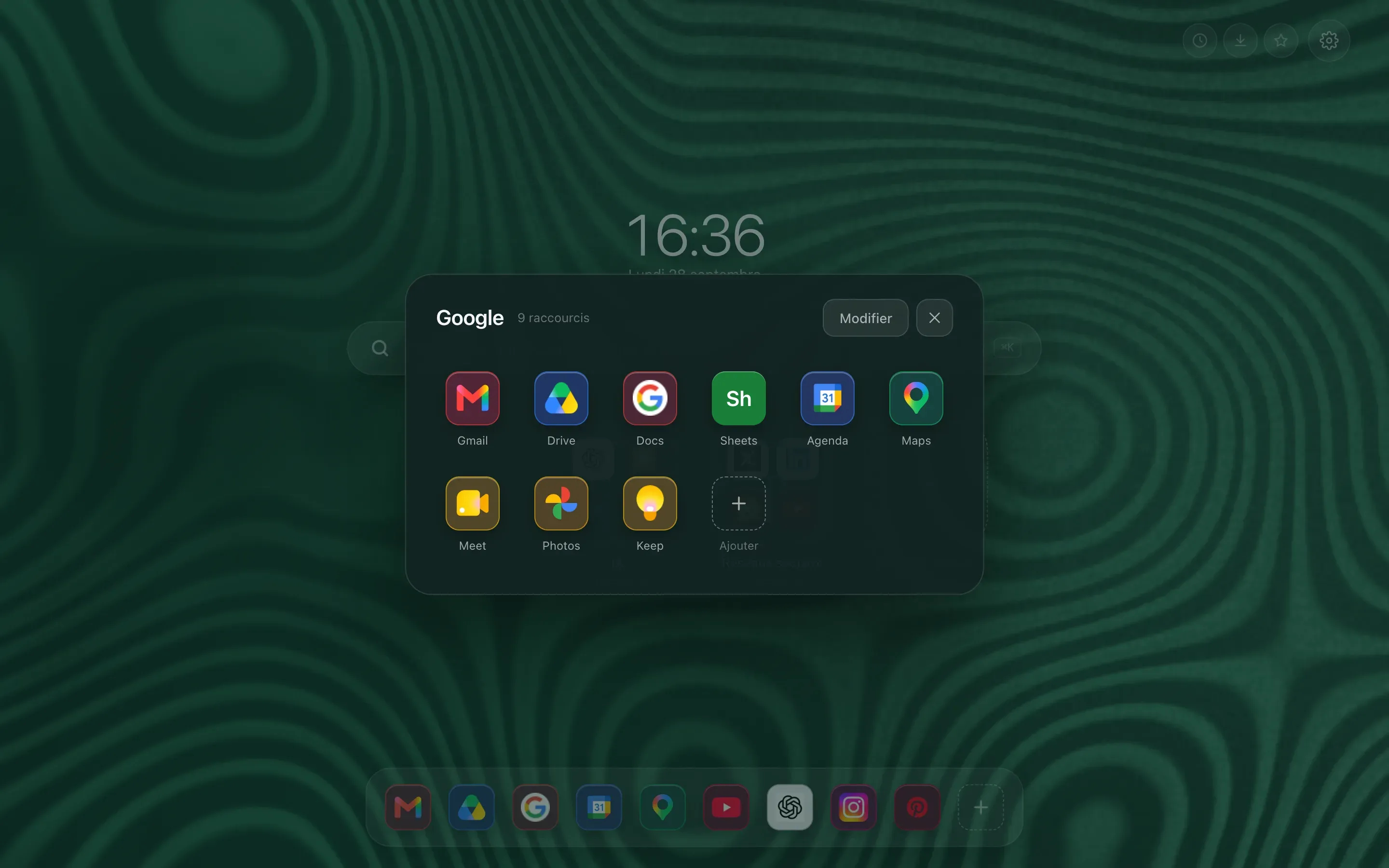
  • A folder zoomed open above the page: the full grid of its shortcuts, with the folder name and the rest of the page dimmed behind.
    An open folder
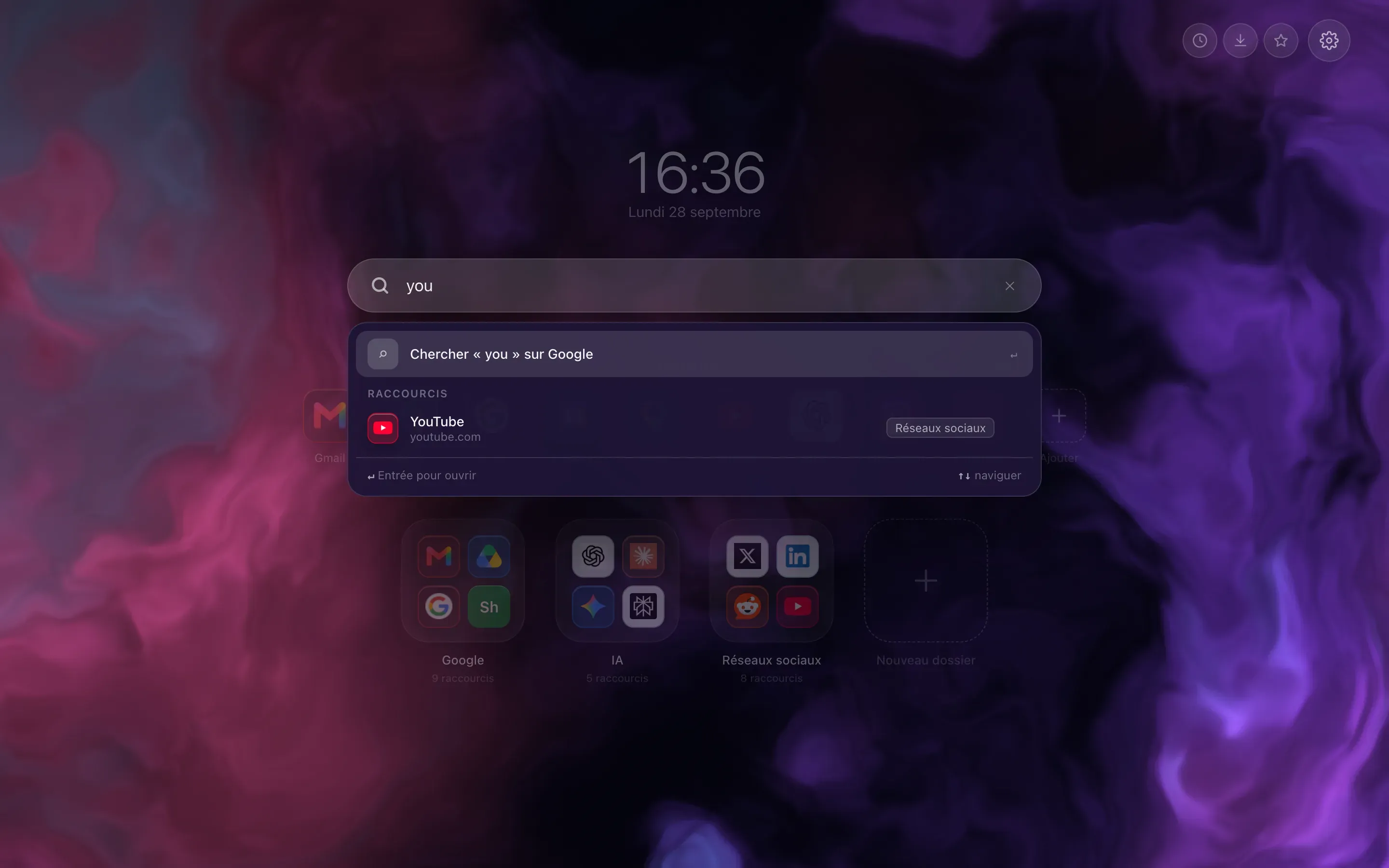
  • Instant search: a few letters typed in the bar, and the list of matching shortcuts appears under it, ahead of the search engine suggestions.
    Searching your shortcuts
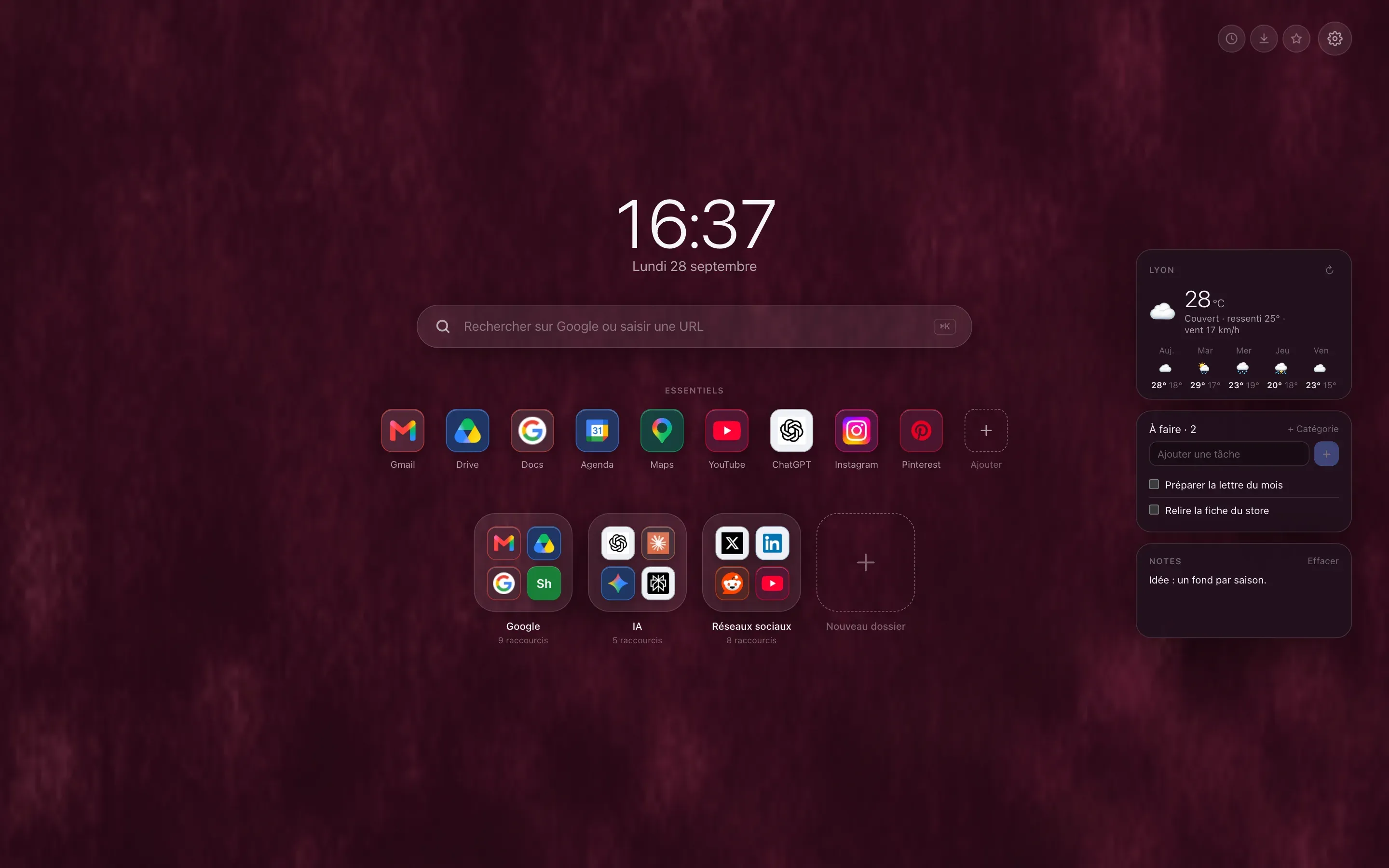
  • Close up on the three widgets: the five day forecast for the chosen town, a task list and a quick note.
    Weather, tasks and notes

Switching from Momentum to Hoome

Momentum offers no export button: its privacy policy provides for an export of your data on request. The simplest way to switch:

  1. Install Hoome

    From the Chrome Web Store, Firefox Add-ons or Edge Add-ons.

  2. Add your sites

    Import your browser's bookmarks, up to the free version's limit of a hundred shortcuts and five folders, or pick them from the catalogue of popular sites.

  3. Remove Momentum

    Remove or turn off Momentum on the extensions page, since Chrome only gives the new tab page to one extension.

Frequently asked questions

Is Hoome a good free Momentum alternative?

Yes, if what you want above all is to get to your sites. The free version of Hoome holds up to a hundred shortcuts in five folders, with the weather, tasks, notes and sync, without an account. If you are mainly looking for a focus dashboard, with a site blocker, ambient sounds and your task managers, Momentum Plus goes further.

Is Momentum free?

Yes, with no time limit. Momentum Plus, the paid version, costs $4.95 a month or $39.95 a year, in US dollars, with a seven-day trial, card required.

Is Momentum available in other languages?

No. According to its help centre, Momentum has no translations: its interface is in English, and support suggests using Chrome's translation feature in the meantime. Hoome is translated into French, English, German, Spanish and Brazilian Portuguese.

Do you need an account to use Momentum or Hoome?

Neither requires one for the free version. Without an account, Momentum keeps your data in the browser, without syncing it. Hoome only asks for an account for Premium, and your shortcuts only go through our servers if you are a Premium subscriber signed in to your account: syncing between your computers then keeps a copy, which you can turn off. If you turn on sync, they travel through your browser's account.

How do you remove Momentum from Chrome?

Open chrome://extensions, then click Remove under Momentum. According to its help centre, uninstalling the extension does not delete your Momentum account: if you have one, delete it from your profile as well.

Can you keep Momentum and Hoome at the same time?

You can install both, but Chrome only gives the new tab page to one extension: the last one installed. Turn off the one you are not using on Chrome's extensions page.

Your next tab can be a tidy one

Five seconds to install, no sign up, and your sites finally where they belong.

On a phone, tap “Add to Desktop” on the Chrome Web Store: Hoome will install in Chrome on your computer, if it is signed in to the same Google account.