Add to Chrome

Free, no account, no ads

English Français Español Deutsch Português

Hoome or Tabliss: which new tab page should you choose?

Tabliss puts a customisable page at the centre: a background, the time, the weather and a few widgets. Hoome, ours, puts your sites at the centre, sorted into folders and a Dock.

Checked on October 26, 2026

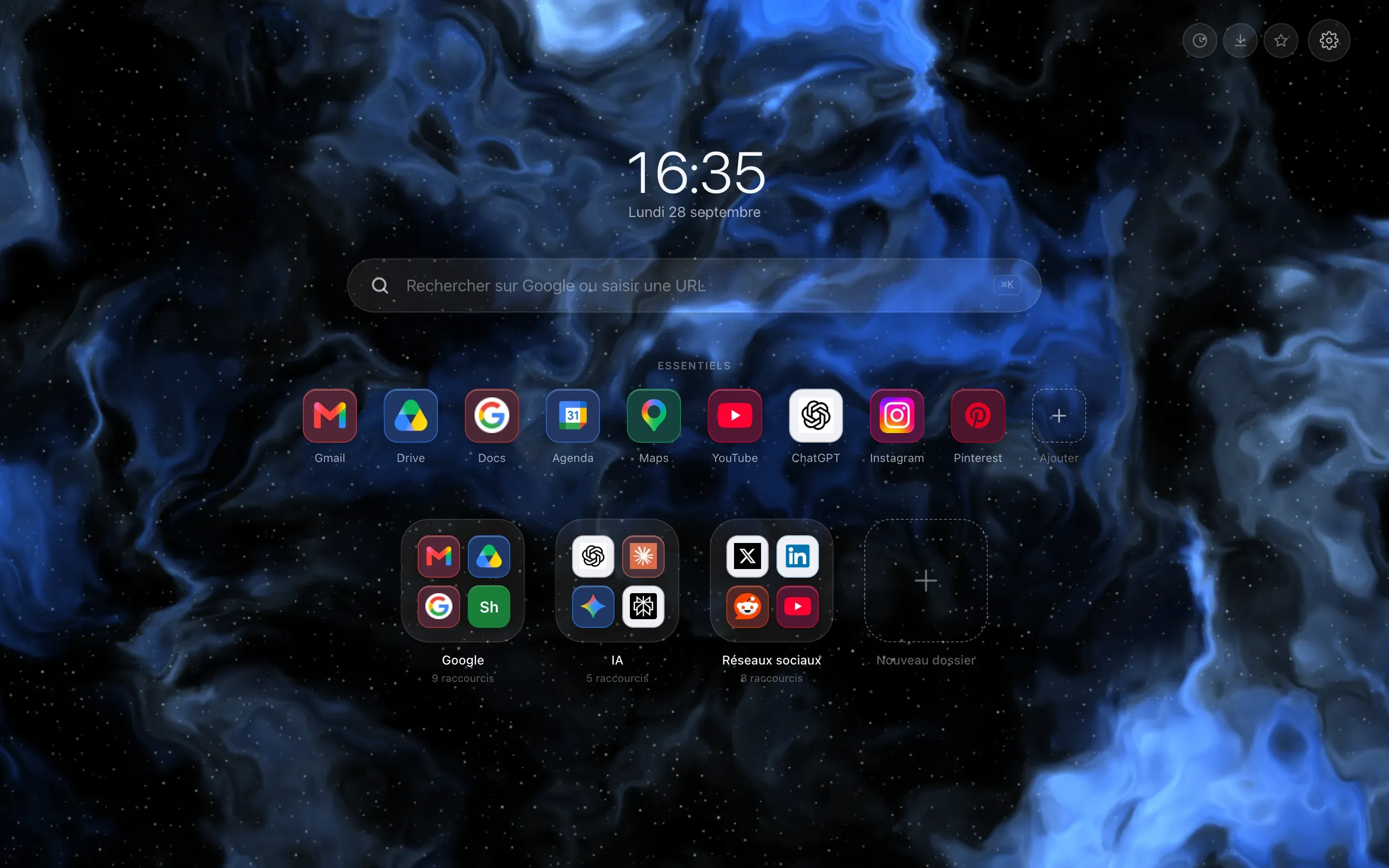
The Chrome new tab page replaced by Hoome: clock and date in the middle, a search bar, a row of pinned shortcuts, then six folder tiles on a blue gradient background.

Hoome

Choose Hoome if your new tab should first sort your sites into folders, with a Dock and backups that happen by themselves; beyond one hundred shortcuts and five folders, you will need Premium.

  • FreeOne hundred shortcuts, five folders
  • Premium€1.99 a month
  • A background of your choice
  • The time
  • The weather and other widgets

Tabliss

Choose Tabliss if you want a page you compose yourself, entirely free and open source, in your language, with photos or colours as a background.

  • PriceFree, no ads
  • CodeOpen, under the GPL-3.0 licence
Add to Chrome Read the details

Free, no account, no ads

At a glance, point by point

  • Yes
  • Partly
  • No
  • No icon: simply a difference

Tabliss is a free, open source new tab page for Firefox, Chrome and Edge: a background, the time, the weather and widgets you compose yourself. Hoome, ours, starts from sorting: your sites in folders, like on a phone, and whatever you want around them. This page compares them point by point, with every fact about Tabliss taken from its public pages, cited at the bottom.

Hoome and Tabliss compared point by point
Hoome Tabliss
The essentials
What it puts at the centre

Your sites, sorted into folders and a Dock

A page to compose: a background and widgets

Price and code
Price

Free; Premium at €1.99 a month

€11.99 a year and €24.99 for life at the launch price, then €14.99 and €36; fourteen days free on the yearly plan

Free

No ads and no subscription, according to its site

Open code
No.

Closed

Yes.

Open

Under the GPL-3.0 licence

Features
Backgrounds

Gradients and two animated backgrounds free every week

With Premium, over one hundred and thirty backgrounds drawn by code and your own image

Unsplash photos, GIPHY GIFs, colours and gradients, your own pictures

Widgets

Weather, tasks and notes

Ten more with Premium (eight on Firefox), including today's focus, the calendar, habits and tides

Weather, clocks, greeting, quotes, to-do list, quick links, search, working hours

Links

Shortcuts in folders, a Dock and search through your shortcuts

One hundred shortcuts and five folders for free

A quick links widget and a search box

Languages and browsers
Interface languages

Five

More than forty

Browsers

Chrome, Edge, Brave and Firefox

No Safari

Chrome, Edge and Firefox

A web version exists too

Every fact about Tabliss comes from its public pages, listed at the bottom of this page and checked on October 26, 2026.

What Hoome does differently

Sorting comes first

Hoome is built around your sites: folders like on a phone, a Dock for everyday ones, a search that filters your shortcuts as you type, and, with Premium, several desks.

Backgrounds computed on your computer

Hoome's backgrounds are drawn by code, with no photo or GIF to download: the page opens without waiting for the network.

Automatic backups

Hoome takes a backup on your computer every day and keeps three, with those you make by hand, and restores itself if the page's data disappears.

When Tabliss may suit you better

Open code

Tabliss's code is public, under the GPL-3.0 licence: anyone can read it, change it and propose changes. Hoome's is closed.

Speaking your language

Tabliss is translated into more than forty languages. Hoome has five.

A page composed to your taste

Tabliss is assembled like a board: you pick a background, then the widgets you want, without paying anything.

Hoome, in pictures

Your sites sorted into folders, a search that filters your shortcuts as you type, and the weather, tasks and notes alongside. See every feature

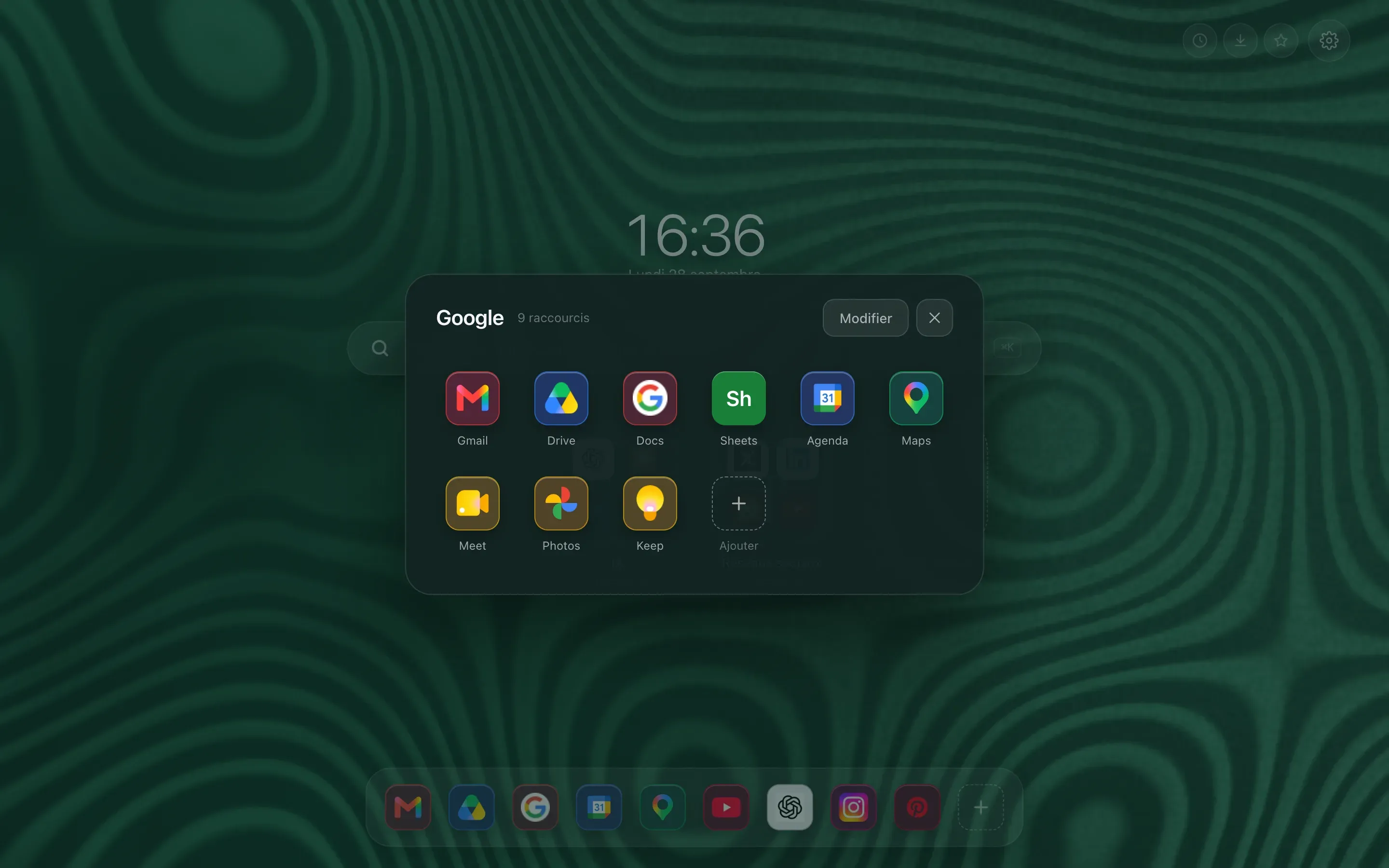
  • A folder zoomed open above the page: the full grid of its shortcuts, with the folder name and the rest of the page dimmed behind.
    An open folder
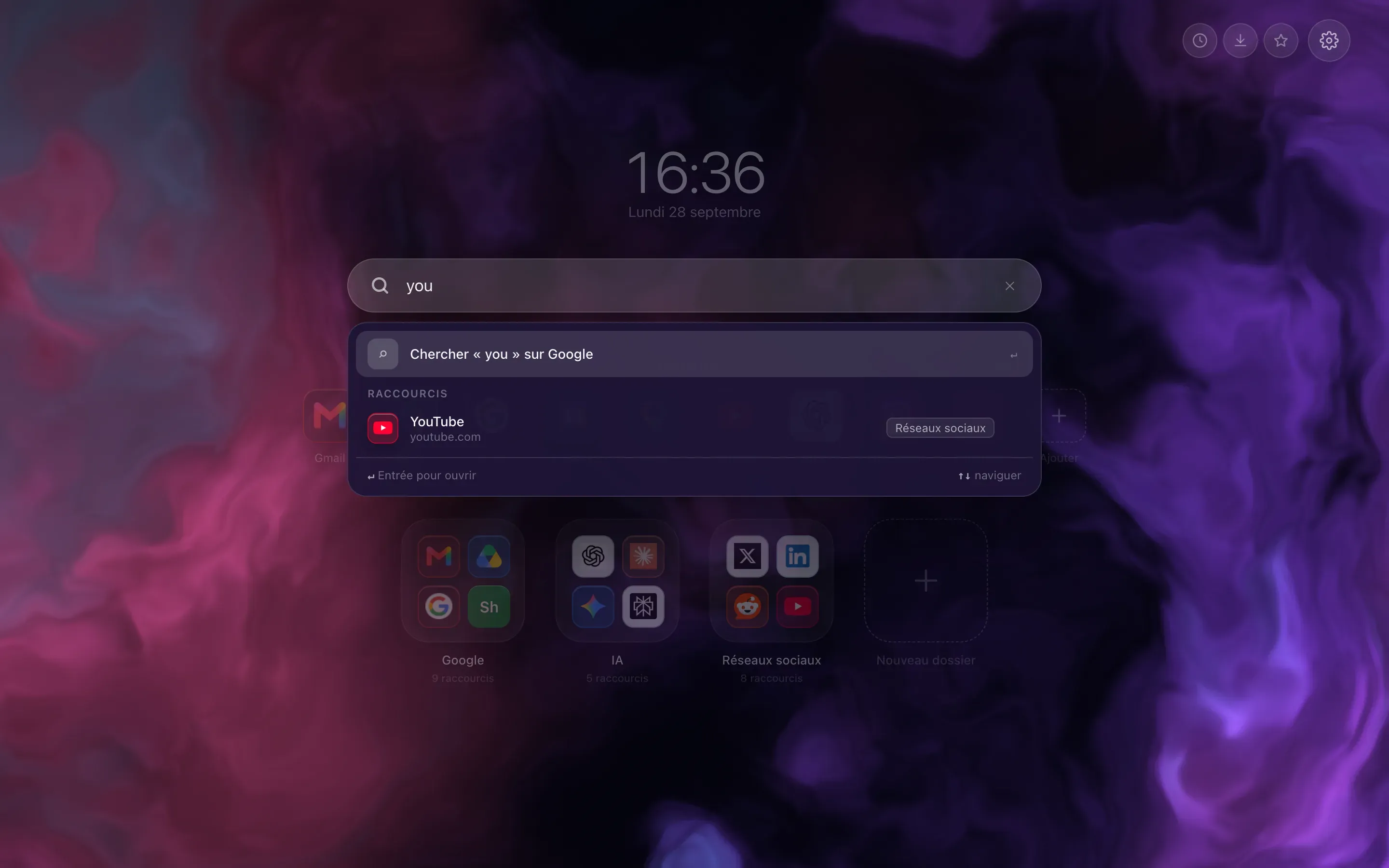
  • Instant search: a few letters typed in the bar, and the list of matching shortcuts appears under it, ahead of the search engine suggestions.
    Searching your shortcuts
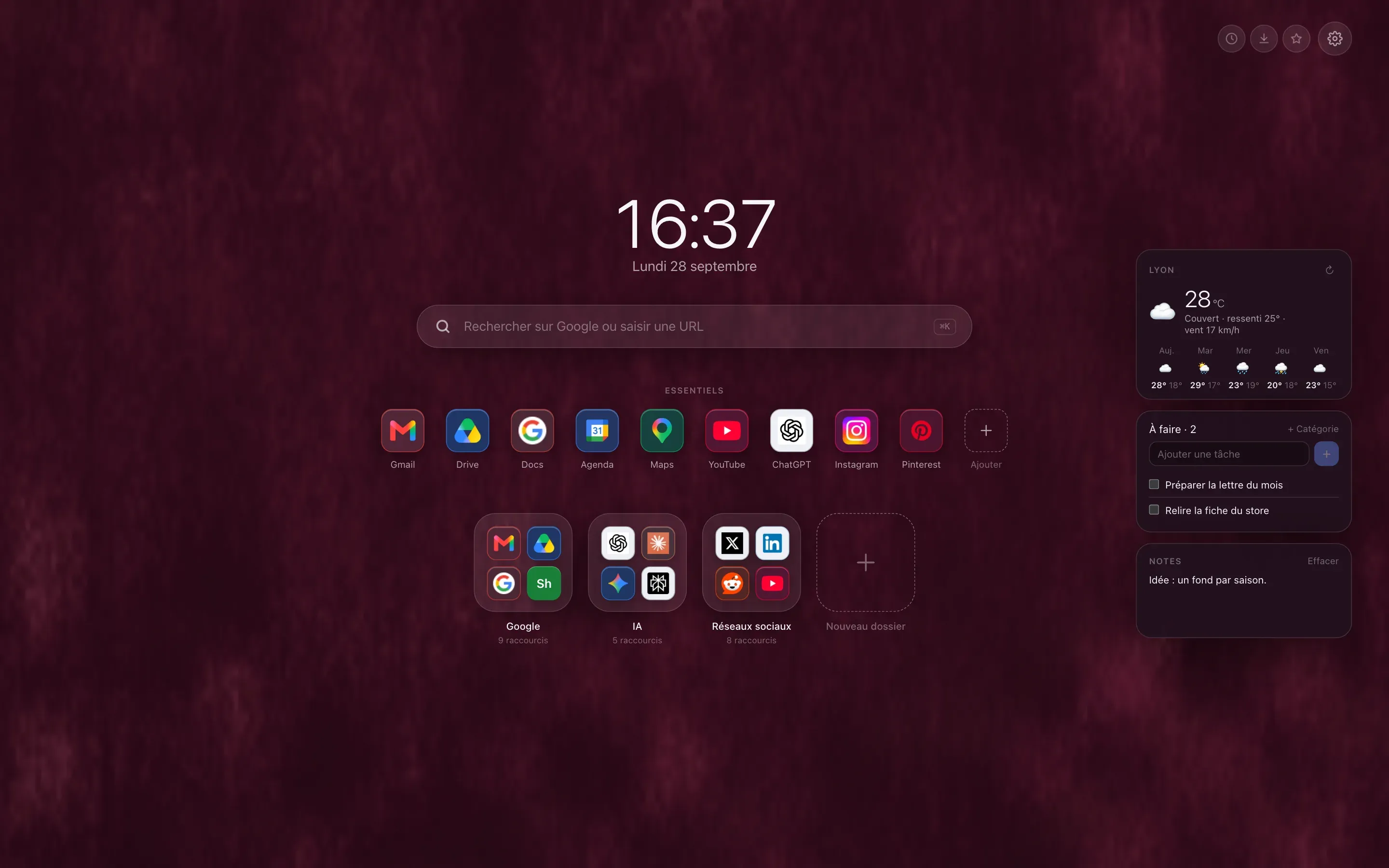
  • Close up on the three widgets: the five day forecast for the chosen town, a task list and a quick note.
    Weather, tasks and notes

Switching from Tabliss to Hoome

Hoome does not read Tabliss's export. The simplest way to switch:

  1. Install Hoome

    From the Chrome Web Store, Firefox Add-ons or Edge Add-ons.

  2. Add your sites

    Import your browser's bookmarks, within the limit of one hundred shortcuts and five folders on the free version, or pick them from the catalogue of popular sites.

  3. Remove Tabliss

    Disable or remove Tabliss on the extensions page, because the browser only gives the new tab to one extension.

Sources3 public pages, checked on October 26, 2026
  1. tabliss.io
  2. Tabliss (GitHub)
  3. Hoome's privacy policy

Frequently asked questions

Is Tabliss free?

Yes. Its site calls it free, with no ads and no subscription. Hoome has a free version with no time limit, and a Premium, by subscription or in one payment, that lifts its limits.

Is Hoome open source, like Tabliss?

No. Tabliss's code is public, under the GPL-3.0 licence; Hoome's is not. What Hoome does with your data is described in its privacy policy.

Can you keep Tabliss and Hoome at the same time?

You can install both, but the browser only gives the new tab page to one extension: the last one installed. Disable the one you do not use on the extensions page.

Your next tab can be a tidy one

No sign up, no card, and your sites finally where they belong.

Brave installs Hoome from the Chrome Web Store.

On a phone, tap “Add to Desktop” on the Chrome Web Store: Hoome will install in Chrome on your computer, if it is signed in to the same Google account.