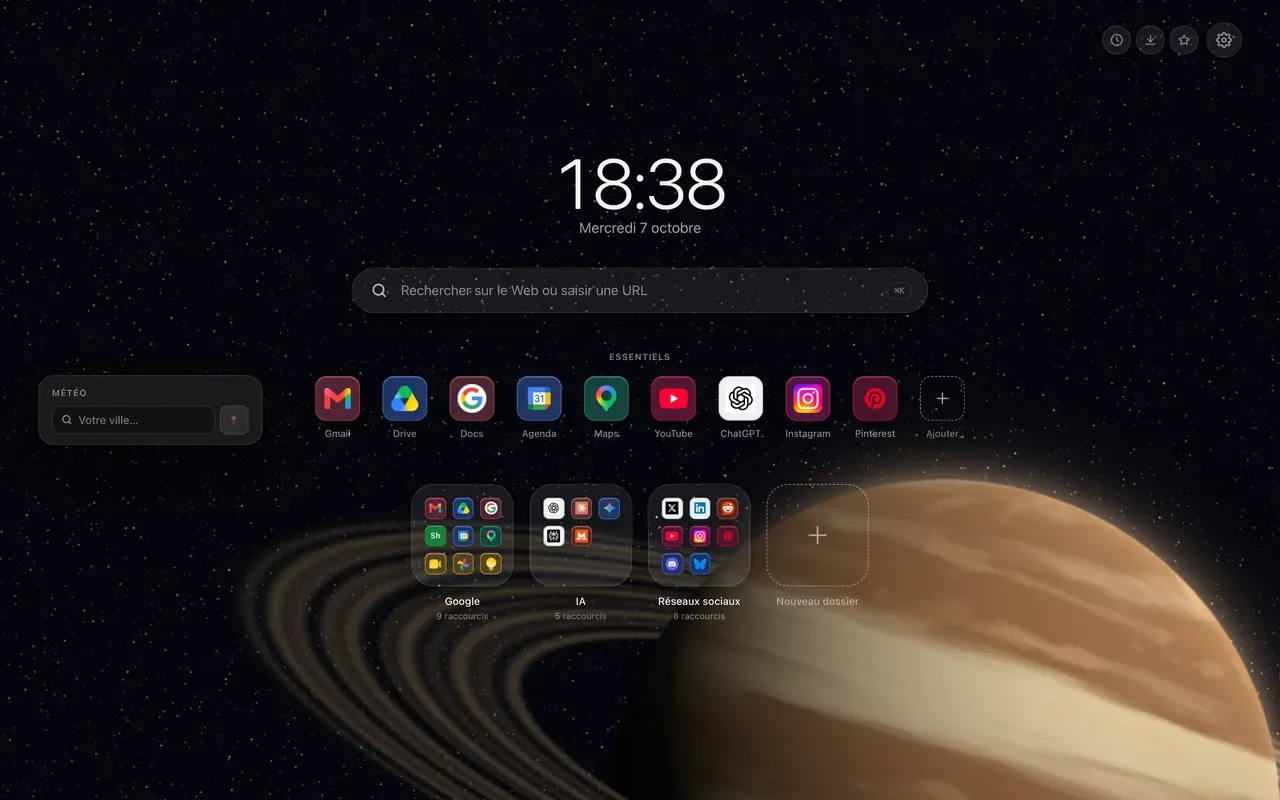
A weather widget on the Chrome new tab page shows you the weather every time you open a tab, without going through an app full of ads or typing a search. Hoome has one, free, and it takes a few seconds to set up.
What does the weather widget show?
Hoome puts the weather at the side of the page, on the left by default, without moving your shortcuts.
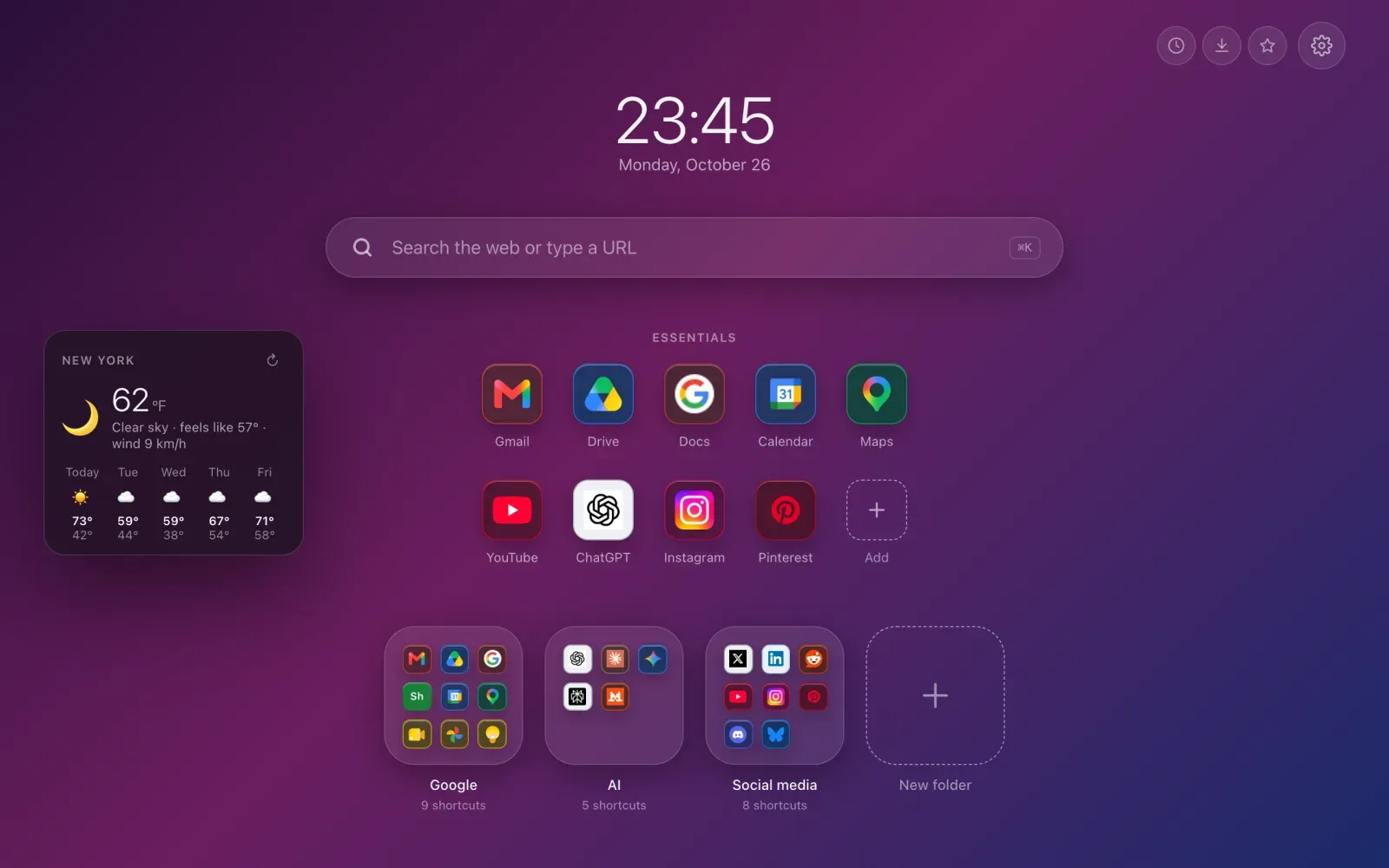
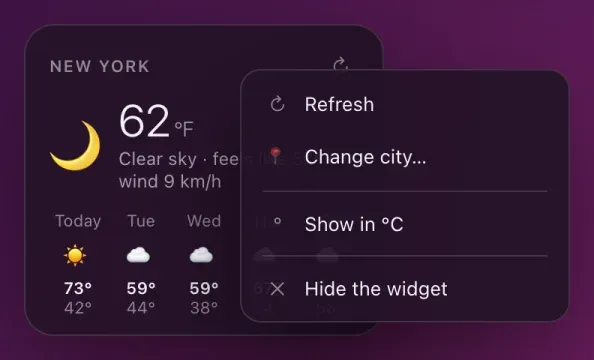
At the top: the current temperature, the conditions, what it feels like and the wind. Below: today and the next four days, with their highs and lows.
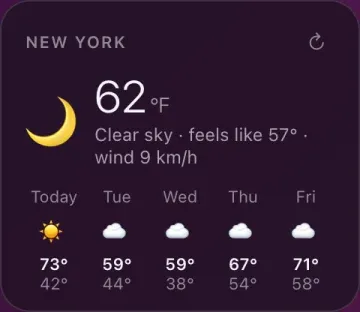
The forecast is kept for half an hour, so the service isn’t asked again with every new tab. The small arrow at the top right reloads it whenever you want.
How do you choose your city?
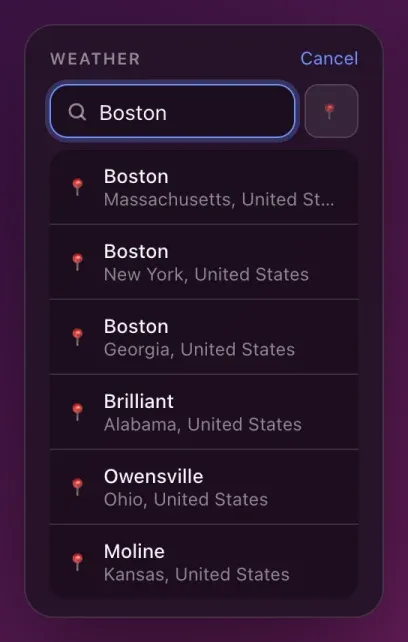
The first time, the widget asks for it. Type the name: Hoome suggests the matching cities with their state or region and country, so you don’t pick the wrong Springfield. The button next to the field uses your location instead, if you agree to share it.
You can also choose it in the settings, the gear at the top right, in the Widgets section, where the weather is turned on and off.
What does a right-click on the widget do?
Right-clicking the widget opens its menu: refresh, change city, switch between Fahrenheit and Celsius, or hide the widget.
One city is included in the free version. Premium lets you follow up to three, to keep an eye on the one you’re heading to for the weekend. By default the first one is shown large with its forecast, and the others take one line each; the settings let you show another one large.
What the widget doesn’t do
No hour-by-hour forecast, and no rain or storm alerts: the widget gives you the current weather and the trend for the next few days. To know whether it will rain in an hour, a weather site with a radar map is still the right tool. And the wind is shown in km/h, even in Fahrenheit.
What is sent, and to whom
The forecast comes from Open-Meteo, an open service that needs no account and no key. Hoome only sends it the coordinates of the city you chose, and the name you type when you search for one: never your name, your shortcuts or anything you do in the browser.
And if you’d rather no request leaves your computer at all, Strict privacy, in the Data section of the settings, turns the weather off along with everything else.